By L8MS Team · Updated 10 Nov 2026
The Site Planner is the home page of an open site. Every task is a row and the weeks of the year are columns, coloured by state.
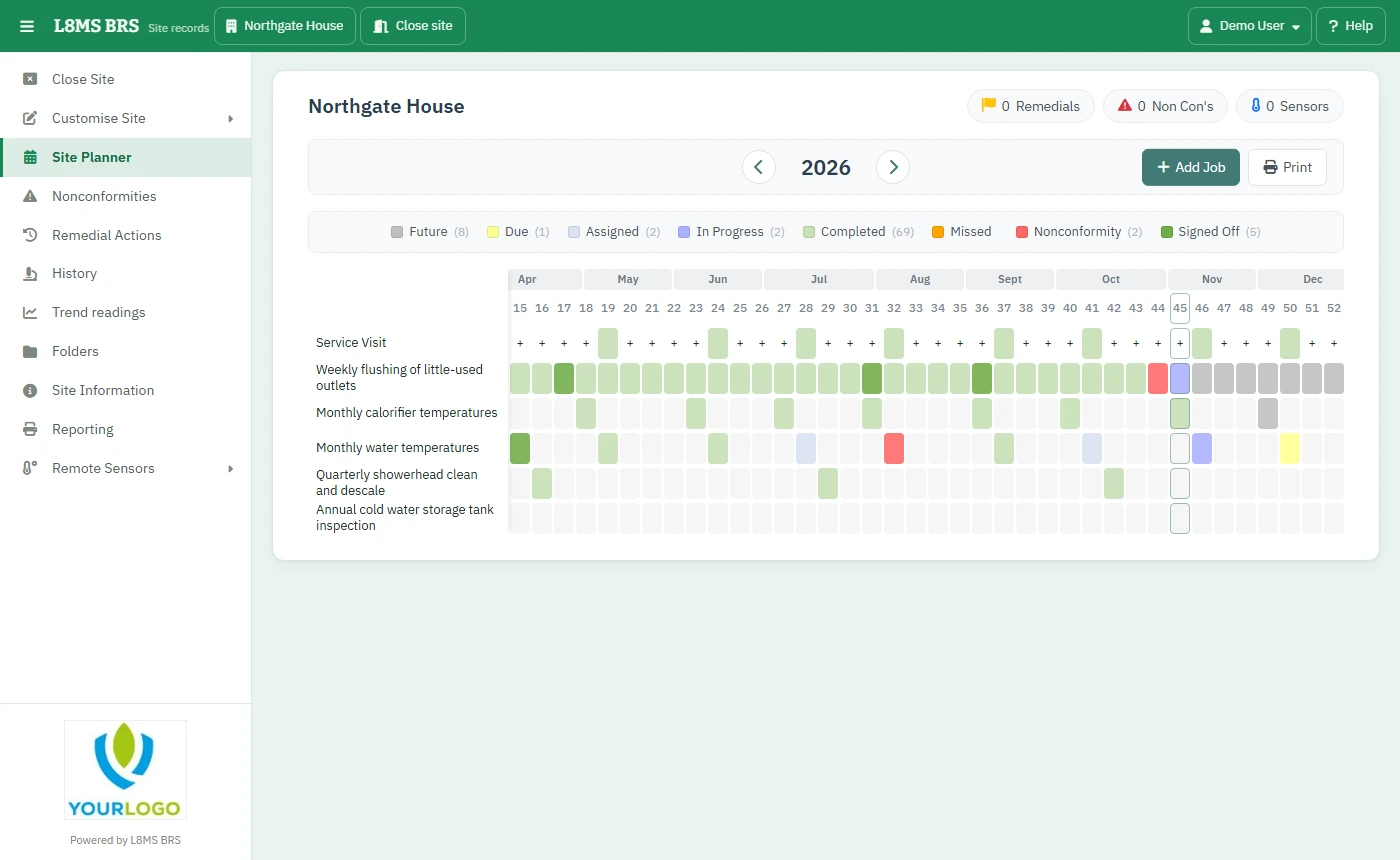 The 52-week site planner.
Reading the grid
- Future — planned, not open yet.
- Due — open for results now.
- Assigned — on a service visit given to an engineer.
- In Progress — some results are in.
- Completed — every test done, nothing wrong.
- Missed — the window closed without the results.
- Nonconformity — done, but something failed or was not done.
- Signed Off — checked and signed off.
The colours are yours to change on My account › Preferences. Use the arrows either side of the year to move between years.
Open a week
-
Click a coloured square. The pop-up shows the task’s progress that week and the service visits including this task, with their engineers and status.
Enter results (or View results once complete) opens results entry for that task.
Open visit opens the service visit in a new tab; Print report prints it. If there is no visit yet, Plan a visit creates one.
Where there are nonconformities, view opens them; the red and green buttons open the outstanding or completed remedial actions for that week.
Along the top
- Remedials, Non Con’s and Sensors jump to the site’s outstanding items.
- Add Job creates a one-off job.
- Print downloads the schedule.